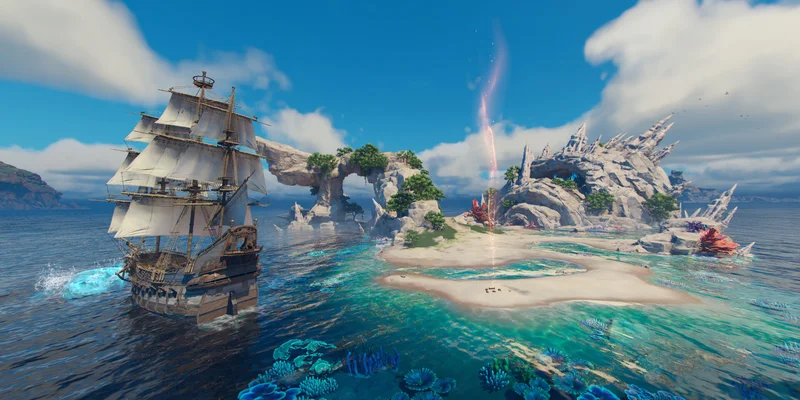
- Sea of Remnants requirements vary between the upcoming PC release and current test builds.
- Official PC specifications have not been fully published as of November 10, 2026.
- Reported mobile testing used 6 GB RAM and a Dimensity 6020 with playable performance.
- Storage planning should allow roughly 10 GB for reported mobile resources, plus free space.
- Closed beta timing begins December 3, 2026; test data may change before launch.
Sea of Remnants Requirements: What Is Confirmed
Sea of Remnants is a pre-release ocean fantasy RPG from NetEase Games and Joker Studio. The planned full release is scheduled for 2027, while the Dawnbreaker Closed Beta is scheduled to begin on December 3, 2026. Because development is ongoing, requirements shown during testing should be treated as provisional rather than final specifications.
The most important distinction is between the planned PC version and reported mobile testing. The available community test report focuses on mobile hardware and does not establish the final Steam requirements. Steam lists the game under AppID 3633680, but a complete official PC minimum and recommended specification sheet has not been confirmed in the available material.
Video Highlights:
- Reported mobile installation and initial resource download steps
- Approximate resource size of 9.8 GB during testing
- Performance observations on a 6 GB RAM Android device
- Practical network and login troubleshooting
- Hardware classes associated with smoother mobile play
| Requirement Area | Current Status | How to Interpret It |
|---|---|---|
| PC minimum specification | Not fully published | Wait for an official Steam specification list |
| PC recommended specification | Not fully published | Do not treat mobile hardware as a PC equivalent |
| Mobile test hardware | 6 GB RAM, Dimensity 6020 | Community-reported playable baseline |
| Mobile resource download | About 9.8 GB reported | Reserve additional space for updates and temporary files |
| Full release date | 2027 | Planned release window, not a 2026 launch |
| Closed beta date | December 3, 2026 | Test-period access may require separate eligibility |
Do not use the reported mobile configuration as an official minimum requirement. Sea of Remnants is still in testing, and performance, optimization, storage needs, and platform support may change before the 2027 release.
For the most reliable PC updates, monitor the Sea of Remnants Steam page and compare any published specification changes against your own hardware.
Reported Mobile Hardware and Performance
The available mobile test report provides a useful starting point for players checking Android hardware. A device with 6 GB of RAM and a MediaTek Dimensity 6020 was able to run the game, although frame drops occurred. This suggests that some mid-range phones may launch the game, but stable performance should not be assumed.
The report also identifies Snapdragon 7-series, Snapdragon 8-series, and Dimensity 8000-series processors as stronger hardware categories for a smoother experience. These are broad processor families, not official device requirements. The exact result will depend on thermal management, storage speed, operating-system behavior, resolution, and the game build installed.
Entry Test Profile
6 GB RAM and Dimensity 6020. Playable in testing, with occasional frame drops.
Mid-Range Target
Snapdragon 7-series hardware may provide a better balance of performance and power use.
Higher-End Target
Snapdragon 8-series or Dimensity 8000-series devices are more suitable for demanding settings.
Storage Priority
Reserve space for the reported 9.8 GB resource package, patches, and temporary installation data.
| Mobile Hardware Class | Expected Test Experience | Recommended Approach |
|---|---|---|
| 6 GB RAM, Dimensity 6020 | Playable with possible frame drops | Use lower settings and monitor heat |
| Snapdragon 7-series | Likely stronger headroom | Start with balanced settings |
| Snapdragon 8-series | Better suited to sustained performance | Test higher settings gradually |
| Dimensity 8000-series or higher | Stronger performance category | Prioritize stable frame rate over maximum visuals |
| Lower memory or older chipset | Uncertain | Check the current build before committing storage |
A strong processor alone does not guarantee smooth sailing. Ocean scenes, multiplayer activity, combat effects, and city-building areas may place different demands on the device. If your phone becomes hot, lower visual quality and frame-rate options before troubleshooting the network.
Begin with balanced or low graphics, close background applications, and test a short sailing session before raising visual settings. This method helps separate hardware limits from connection problems.
Storage, Network, and Installation Preparation
The reported mobile test required approximately 9.8 GB of additional resources after the initial installation. Treat that figure as a test-period estimate, not a permanent storage requirement. A live-service RPG can need extra room for patches, decompression, cached files, and future content.
For practical preparation, keep more free space than the resource package alone requires. Installing over a nearly full drive can create failures even when the displayed download size appears to fit. Wi-Fi is also preferable for a download of this size, particularly when mobile data limits or unstable coverage are concerns.
| Preparation Item | Recommended Baseline | Reason |
|---|---|---|
| Free storage | More than 10 GB available | Covers the reported package and installation overhead |
| Connection | Stable Wi-Fi | Reduces interruption risk during large resource downloads |
| Battery | Charge before installation | Resource extraction and updates can consume power |
| Background apps | Close nonessential apps | Frees memory and reduces competing network traffic |
| Device temperature | Test in a cool environment | Sustained heat can reduce performance |
| Login readiness | Keep the selected phone number available | OTP access may be required during sign-in |
Check Device Space
Confirm that the phone has more than the reported 9.8 GB resource size available. Leave additional room for temporary files, updates, and the operating system.
Prepare a Stable Connection
Use reliable Wi-Fi, pause large downloads on other devices, and avoid beginning the installation during a known network interruption.
Install the Current Test Build
Use the legitimate store or test distribution available for your region. Avoid modified packages and unofficial installers that can introduce security or compatibility problems.
Finish Resource Downloads
Launch the game and allow its additional files to complete before judging performance. Partial resources can cause loading errors or misleading frame-rate results.
Test Before Adjusting Settings
Enter a short sailing or combat session, observe frame stability and temperature, then adjust graphics and frame-rate options one setting at a time.
A stable connection, sufficient storage, and a cool device are just as important as processor class during a pre-release test. Check all three before replacing your phone or changing advanced settings.
Login and Troubleshooting Checklist
Some players may encounter network errors while requesting an OTP or an additional verification screen during sign-in. These issues are separate from system requirements. A device can meet the reported hardware baseline and still fail to enter the game because of regional access, account verification, or server conditions.
Use the following checklist to isolate the problem without confusing a login issue with a performance issue.
Pre-Launch and Test Checklist:
- Confirm the build is available through a legitimate regional store or test channel
- Reserve more than 10 GB of free device storage
- Connect to stable Wi-Fi before downloading resource files
- Keep access to the phone number used for OTP verification
- Restart the network before requesting another code
- Record device model, RAM, chipset, and operating-system version when reporting a problem
| Symptom | Likely Category | First Action |
|---|---|---|
| Download stops or loops | Network or storage | Check Wi-Fi stability and free space |
| OTP does not arrive | Network or account verification | Recheck the number and request again later |
| Game closes during launch | Compatibility or memory | Close background apps and lower settings |
| Frame drops during play | Hardware, heat, or settings | Reduce graphics and check device temperature |
| Extra identity prompt appears | Regional verification | Follow the current official test instructions |
| Long loading after update | Resource installation | Allow the build to finish unpacking files |
Do not use random identity details, modified clients, or unofficial account services to bypass a verification screen. Those methods can create account, privacy, or access risks. If a prompt is not explained by the official test instructions, wait for a supported resolution rather than treating a community workaround as a requirement.
Never share OTP codes, passwords, or personal account information with third parties. A verification problem is not evidence that an unofficial bypass is safe or required.
PC Readiness for the 2026 Test Period
The final PC requirements for Sea of Remnants remain unconfirmed in the available information. Players preparing through Steam should therefore use a readiness check instead of relying on unsupported minimum numbers. Confirm your operating-system support, available drive space, graphics driver status, and cooling before the test begins.
The game’s planned design includes dynamic ocean travel, multiplayer combat, and the construction of the pirate city Orbtopia. These systems may create different performance loads than a simple menu or isolated combat scene. A desktop or laptop that handles older games well may still need settings adjustments in a new pre-release build.
| PC Check | What to Review | Why It Matters |
|---|---|---|
| CPU | Modern multi-core processor | Helps with world simulation, loading, and multiplayer activity |
| GPU | Current driver and supported graphics hardware | Reduces rendering errors and shader-related problems |
| Memory | Available system RAM beyond background usage | Prevents unnecessary paging during large scenes |
| Storage | Free space on the installation drive | Supports installation, patching, and temporary files |
| Network | Stable broadband connection | Important for account access and online features |
| Cooling | Clean vents and stable temperatures | Helps maintain consistent performance during long sessions |
Before December 3, 2026, check the Steam listing for any official specification update. If requirements are published after this article’s date, use those figures over community benchmarks or mobile comparisons.
Until official PC specifications appear, treat Sea of Remnants as an optimization test rather than a finalized hardware target. Keep drivers current and be ready to adjust resolution, effects, and frame-rate settings.
Sea of Remnants Requirements FAQ
Q: What are the official Sea of Remnants requirements?
A complete official PC minimum and recommended specification list has not been confirmed in the available information as of November 10, 2026. Check the Steam page for future updates.
Q: Can a phone with 6 GB of RAM run Sea of Remnants?
A reported test device with 6 GB of RAM and a Dimensity 6020 was able to run the mobile build, although it experienced occasional frame drops. This is test-period information, not an official minimum.
Q: How much storage should I reserve for the mobile version?
The reported test resource download was about 9.8 GB. Reserve more than 10 GB when possible because updates, temporary files, and installation overhead may require additional space.
Q: When should players expect the game to launch?
The planned full release is scheduled for 2027. The Dawnbreaker Closed Beta is scheduled to begin on December 3, 2026, and beta performance data may change before launch.
Related Sea of Remnants Guides
Continue with these Sea of Remnants guides: